
What to track for each client
Good progress tracking starts with the client’s goals. Choose a few measures that help you both understand what is changing, rather than collecting every possible number.
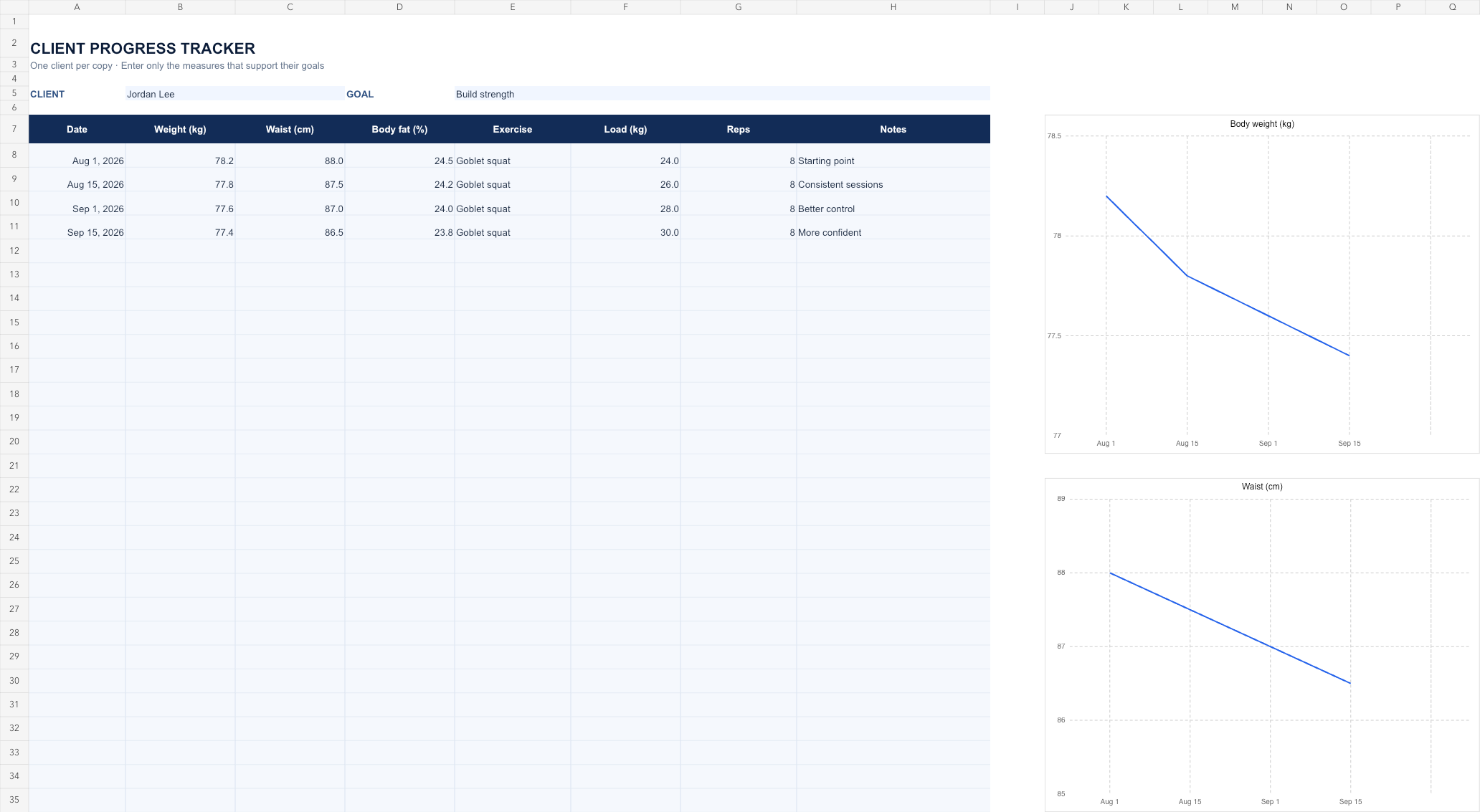
The workbook gives you space for a date, body weight, waist measurement, body fat percentage, an exercise, load, repetitions and notes. Use the columns that are relevant and leave the others blank. The Example tab shows how a fictional client’s log might look.
How to use the workbook
- Download the workbook and open it in Excel or import it into Google Sheets.
- Save a separate copy for each client, then enter their name and goal on the Tracker tab.
- Add a row whenever you review their progress. Use kilograms and centimetres consistently, and record the same exercise variation when comparing strength results.
- Review the entries together and note anything that helps explain the result. The workbook has 30 prepared rows; insert more as needed.
The weight and waist charts use the 30 prepared rows and update when you enter measurements. Leave a measure blank when it is not relevant. If you add rows beyond row 37, extend the chart ranges as well.
The Tracker tab starts blank. The Example tab contains fictional data, so you can see the intended format without overwriting the blank tracker.
Make progress meaningful
Numbers are most useful alongside a conversation. Ask what feels easier, what has been difficult, and whether the goal still fits. Measurements are optional: agree with each client on what they are comfortable tracking, and keep their information private.